



 Sign In


Lang: en | Section: blog | Slug: how-to-print-double-sided-with-an-evolis-primacy-2-duplex | Action: | Cart: 0 | Currency: USD | Err Code: none | MSG: checksum created.
Signed In: S-No | checksum: C-No | apt_id: S-none | cart key: S-none | pli_key: S-none
Signed In: S-No | checksum: C-No | apt_id: S-none | cart key: S-none | pli_key: S-none
Archive
All PostsOctober 2024June 2024February 2024January 2024November 2023October 2023August 2023April 2023March 2023February 2023January 2023December 2022July 2022May 2022December 2021November 2021October 2021September 2021August 2021July 2021June 2021May 2021April 2021March 2021February 2021January 2021December 2020November 2020October 2020July 2020May 2020April 2020March 2020February 2020January 2020October 2019September 2019July 2019March 2019February 2019October 2018September 2018August 2018July 2018June 2018March 2018February 2018January 2018December 2017November 2017July 2017June 2017April 2017February 2017January 2017August 2016June 2016February 2016November 2015October 2015September 2015July 2015June 2015January 2015November 2014October 2014September 2014August 2014July 2014June 2014May 2014April 2014February 2014January 2014October 2013September 2013July 2013February 2013October 2012September 2012May 2012January 2012November 2011July 2011February 2011January 2011December 2010October 2010April 2010February 2010January 2010December 2009September 2009February 2009July 2008July 2007April 2007April 2006March 2006November 2005May 2005October 2004August 2004June 2004May 2004April 2004March 2004December 2003May 2002November 2000How to print double-sided with an Evolis Primacy 2 Duplex
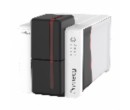
When printing with my Evolis Primacy 2 Duplex, I get two cards instead of one card printed double-sided. What can I do?The Evolis Primacy 2 Duplex is a superb ID card printer, but by default, it is configured by the manufacturer as Simplex (single-sided). Therefore, you need to open and change the Evolis Primacy 2 settings.
Steps to Enable the Evolis Primacy 2 dual side printing feature.
- Open the Evolis Premium Suite 2 and click on the Printer settings button below.
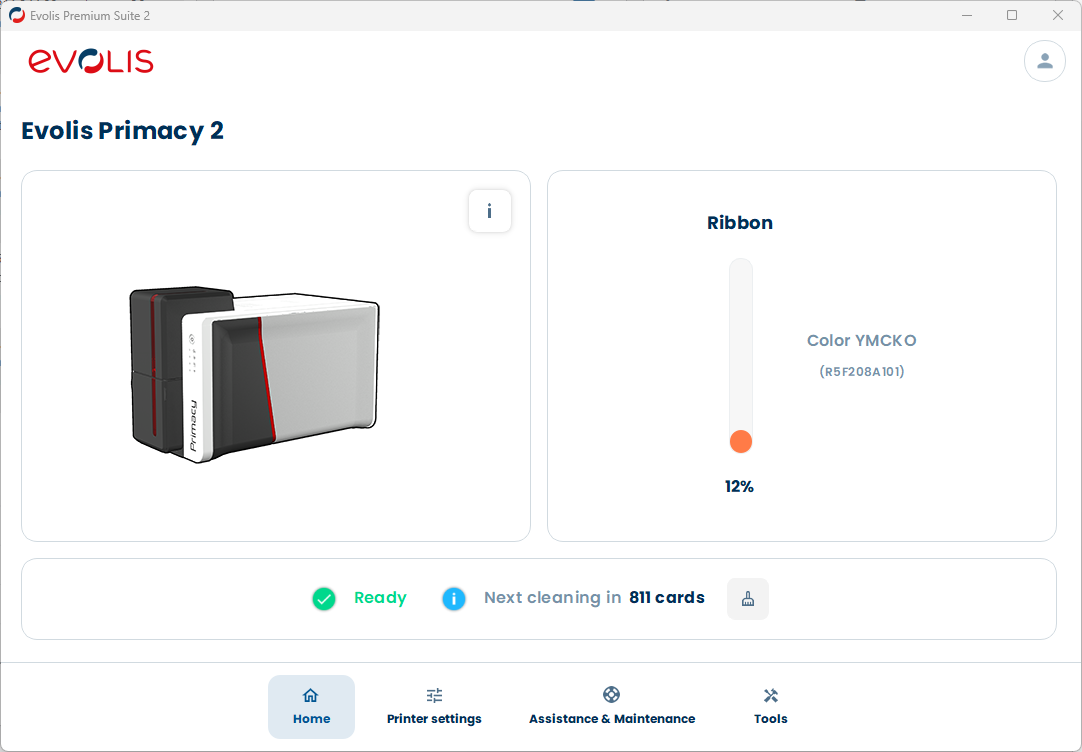
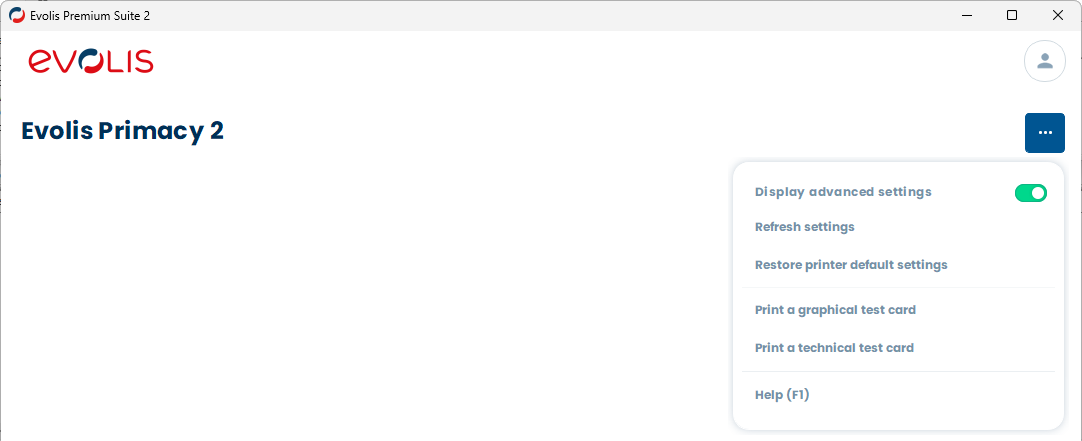
- Click the THREE DOTS on the top right, and enable Display advanced settings if not already done.
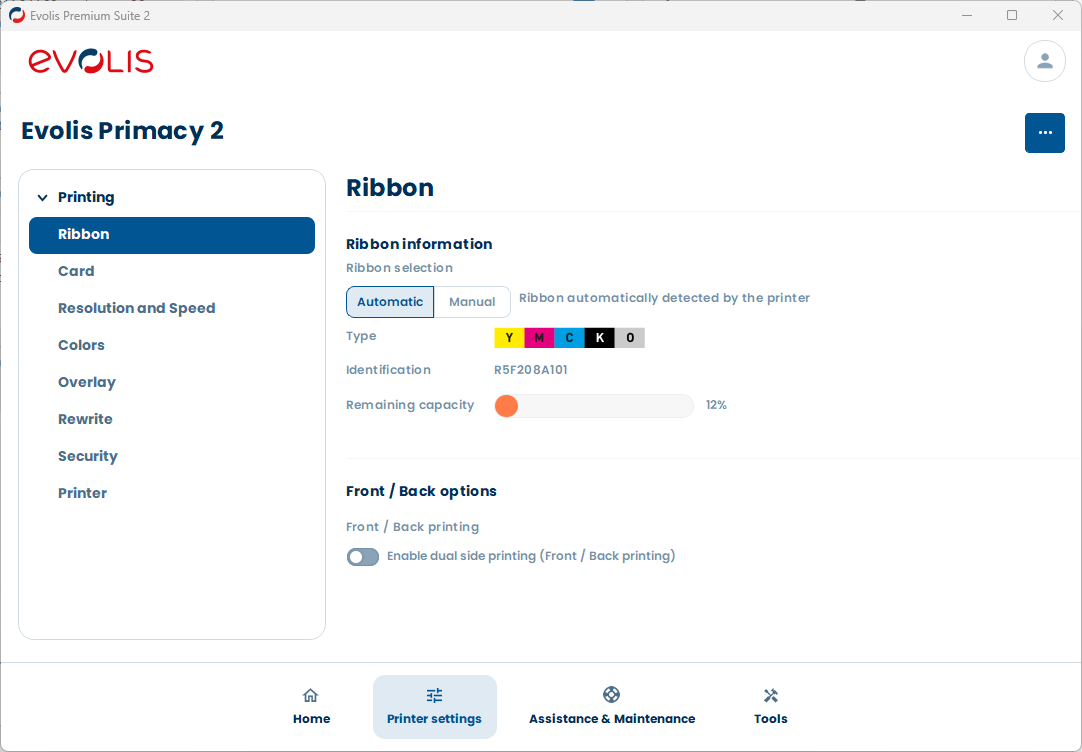
- Click Printing -> Ribbon in the left menu.
- Click the Enable dual side printing, in the Front / Back options.
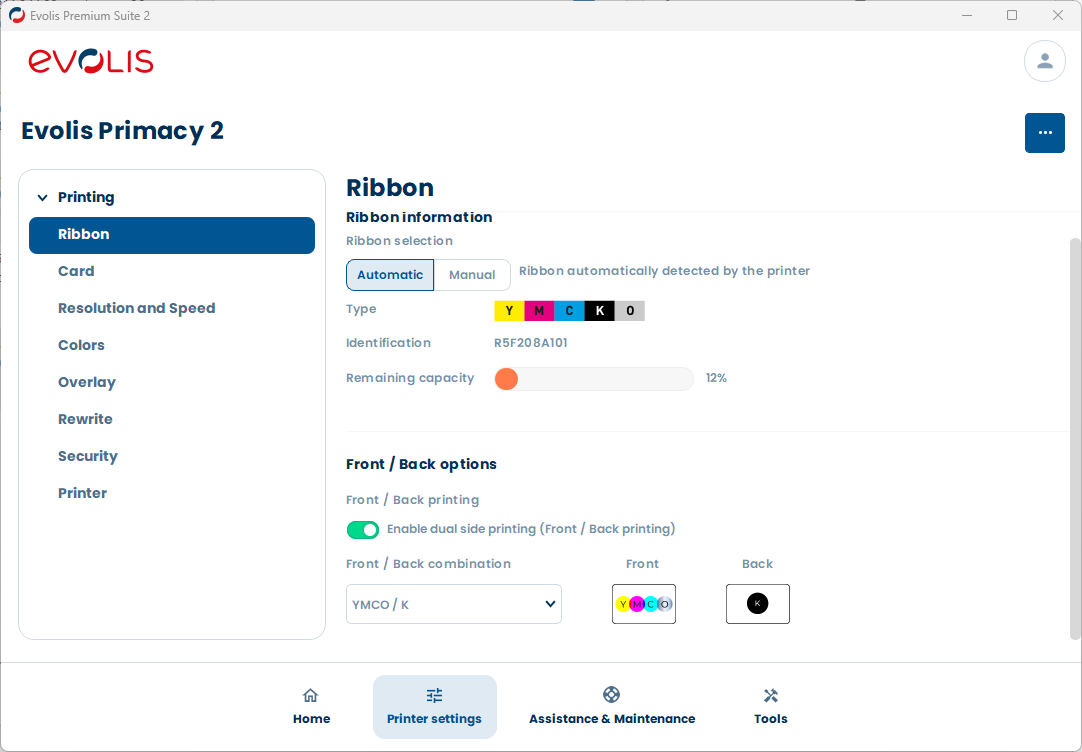
- Next, select the Front / Back combination, depending on the ribbon you have.
- YMCKO / YMCKO
- YMCKO / K (best option)
- YMC / KO
- YMCKO / KO
- KO / KO
- KO / YMCKO
- You are done! You can close the Evolis Premium Suite 2.
Tag: evolis, primacy 2, duplex, double-side, dual side
Customer Favorites

$46.00You save 10.87%$41.00