

 Sign In


Lang: en | Section: blog | Slug: how-to-clean-the-printhead-entrust-sigma-ds1-ds2 | Action: | Cart: 0 | Currency: USD | Err Code: none | MSG: checksum exist, not signed in.
Signed In: S-No | checksum: C-Yes | apt_id: S-none | cart key: S-none | pli_key: S-none
Signed In: S-No | checksum: C-Yes | apt_id: S-none | cart key: S-none | pli_key: S-none
Archive
All PostsOctober 2024June 2024February 2024January 2024November 2023October 2023August 2023April 2023March 2023February 2023January 2023December 2022July 2022May 2022December 2021November 2021October 2021September 2021August 2021July 2021June 2021May 2021April 2021March 2021February 2021January 2021December 2020November 2020October 2020July 2020May 2020April 2020March 2020February 2020January 2020October 2019September 2019July 2019March 2019February 2019October 2018September 2018August 2018July 2018June 2018March 2018February 2018January 2018December 2017November 2017July 2017June 2017April 2017February 2017January 2017August 2016June 2016February 2016November 2015October 2015September 2015July 2015June 2015January 2015November 2014October 2014September 2014August 2014July 2014June 2014May 2014April 2014February 2014January 2014October 2013September 2013July 2013February 2013October 2012September 2012May 2012January 2012November 2011July 2011February 2011January 2011December 2010October 2010April 2010February 2010January 2010December 2009September 2009February 2009July 2008July 2007April 2007April 2006March 2006November 2005May 2005October 2004August 2004June 2004May 2004April 2004March 2004December 2003May 2002November 2000How to clean the printhead of an Entrust Sigma DS1 or DS2 printer
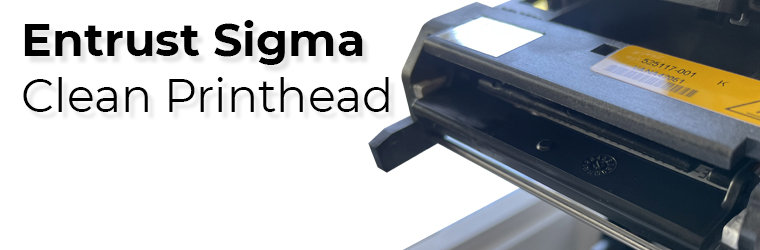
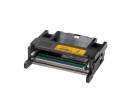
In their great wisdom, Entrust engineers added a printhead protector to all Sigma printer models (DS1, DS2, and DS3) to ensure it stays safe and secure during printing and when servicing the printer. This feature dramatically reduces the risk of damaging the printhead, but it doesn't mean it can't happen. We recommend cleaning the print head after every 2,000 cards the printer processes, or more often, depending on your environment.
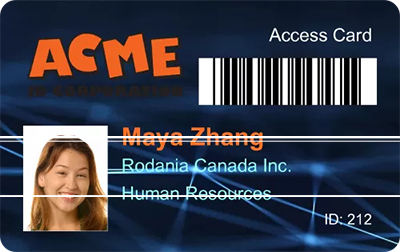
When printing ID cards, if you notice a long white line across the design, your print head is either damaged or dirty. First, clean the printhead properly and try again. Do the following to clean the printhead:
Instructions
- Power off the printer.
- Unlock the printer and open the printer cover.
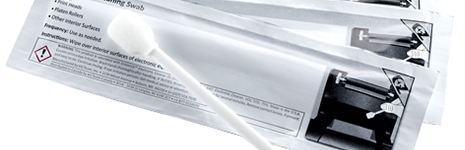
- Open and remove a cleaning swab from its package.
- Lift the printhead protective cover. Use the sides of the cover to rotate it away from the printhead.
- Use gentle pressure to move the cleaning swab back and forth along the full length of the printhead edge until it's spotless.
- Close the printer cover. Press down on the ridges on the front of the cover to ensure it latches completely on both sides.
- Power on the printer.
- Print a sample card or a test card to verify the quality of printing.


HINTS & TIPS
- Avoid touching the printhead edge with your fingers. Contamination due to skin oils can eventually damage the printhead.
- Avoid touching the printing edge of the printhead cartridge with any sharp objects that can permanently damage the printhead.
- Use only the cleaning swab to clean the printhead. Other materials can stick to the printhead and cause damage.
- Use a cleaning swab one time only. Discard it after you clean the printhead.
- Don't use pre-punched cards. When the print head passes over a punch hole in a card, it can scratch and be damaged.
- Do not hit the printhead with plastic parts, your jewelry, rings, watches, etc. This is the most common way of damaging your print head.
If you still see white lines, contact us for more information. It's straightforward to replace the printhead, but it's an expensive part, so be careful.
Tag: entrust, sigma, ds1, ds2, printhead, clean print head
Customer Favorites
![Entrust Cleaning Swabs [Pack of 5 swabs]](https://cdn.aptika.com/images/products/507377-001-t.jpg "Entrust Cleaning Swabs [Pack of 5 swabs]")