



 Ouvrez une session


Lang: fr | Section: blog | Slug: how-to-use-your-id-card-printer-for-the-first-time | Action: | Cart: 0 | Currency: USD | Err Code: none | MSG: checksum exist, not signed in.
Signed In: S-No | checksum: C-Yes | apt_id: S-none | cart key: S-none | pli_key: S-none
Signed In: S-No | checksum: C-Yes | apt_id: S-none | cart key: S-none | pli_key: S-none
How to use your ID card Printer for the first time
OK, so you just purchased an ID card printer, unboxed it, put it on your desk and plugged the USB cable from the printer to your computer. Some more advanced users may have used the Ethernet port on the printer, if available. But now what? Here's what I've been explaining to our customers for nearly a decade and a half. These are good starting points to make sure you use your printer correctly and keep it running for years to come.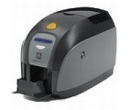 We have wrote a full article on HubPages about How to use your ID card Printer. Please continue to read here: http://aptika.hubpages.com/hub/How-to-use-your-ID-card-Printer-for-the-first-time
Nos clients ont aimé
$2,898.00You save 44.13%$1,619.00